

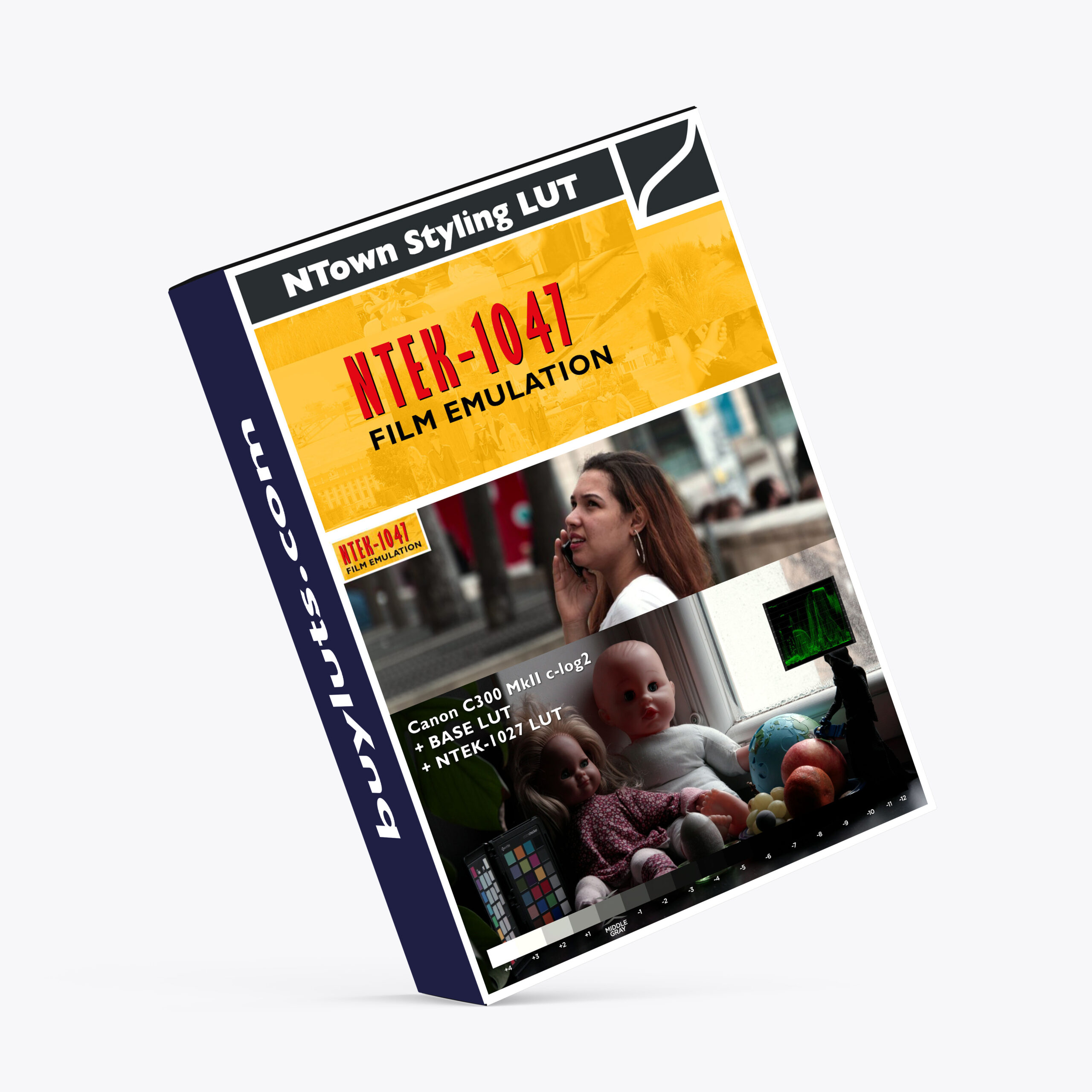



NTEK 1047 Filmstock 5247 Emulation LUT
The NTown NTEK-1047 LUT is a specialized film emulation look-up table designed to replicate the aesthetic of Kodak 5247 filmstock, a classic film type known for its vintage look from the late 1970s. Here’s a concise breakdown of its key features and how to use it:
🎥 Designed For:
Primary Camera: Canon C300 Mark II
Input Settings:
C-Log2 gamma
Cinema Gamut
Production Camera Color Matrix

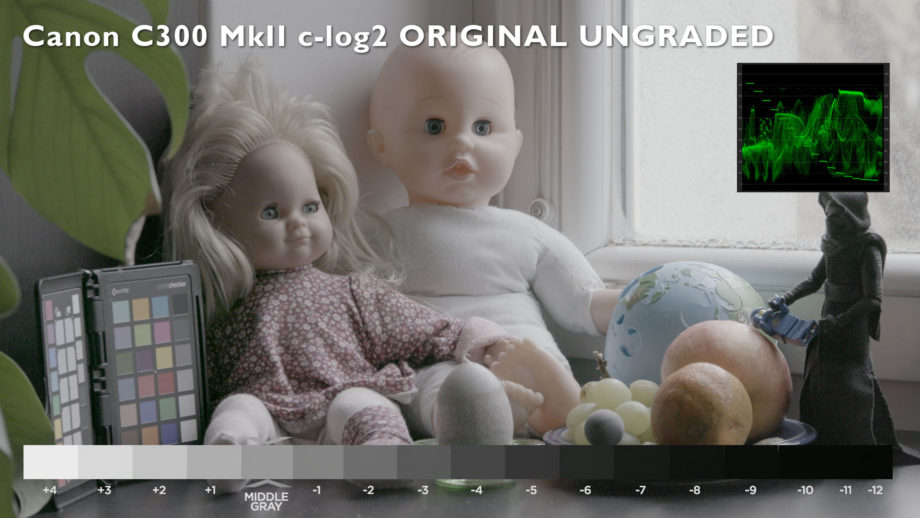
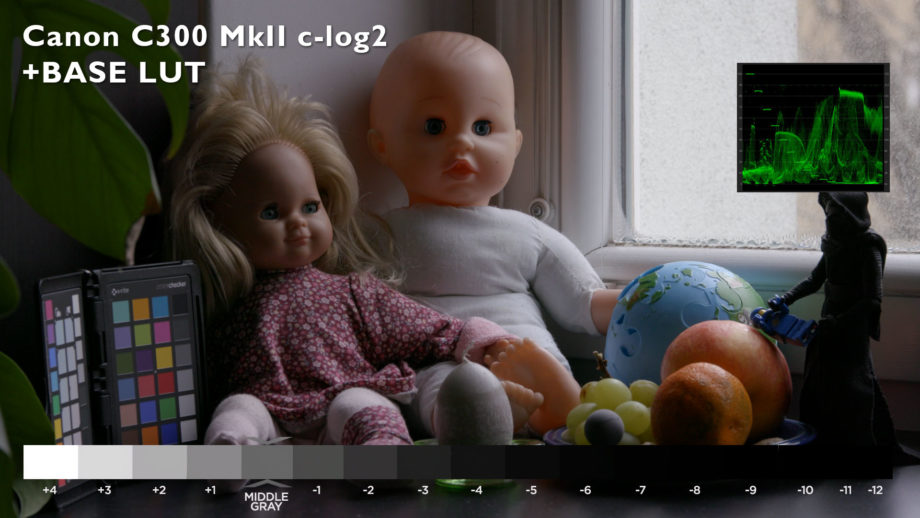
Before
After
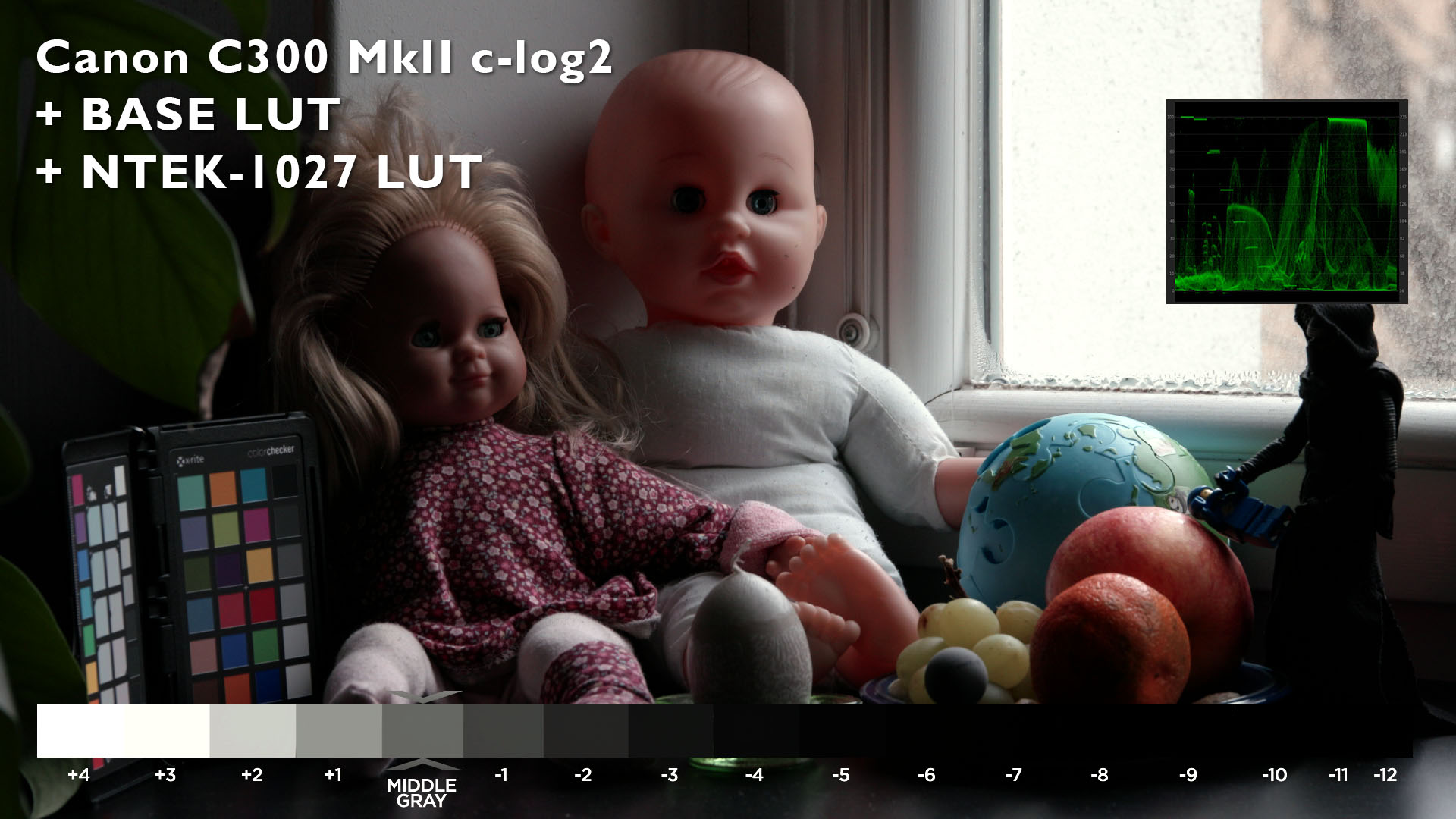
Before
After
🔧 Workflow Steps:
Start with a Base LUT:
Apply the NTown Base LUT (tailored for Canon C300 MkII C-Log2) to normalize footage.Apply the NTEK-1047 LUT:
This adds the 5247 filmstock emulation layer.For Other Cameras:
Footage from other log-based systems (Sony S-Log, Panasonic V-Log, etc.) can be converted using a matching Base LUT before applying NTEK-1047.
🧪 Image Characteristics:
Gradation Curve: Soft highlight and shadow rolloff for a cinematic, filmic feel.
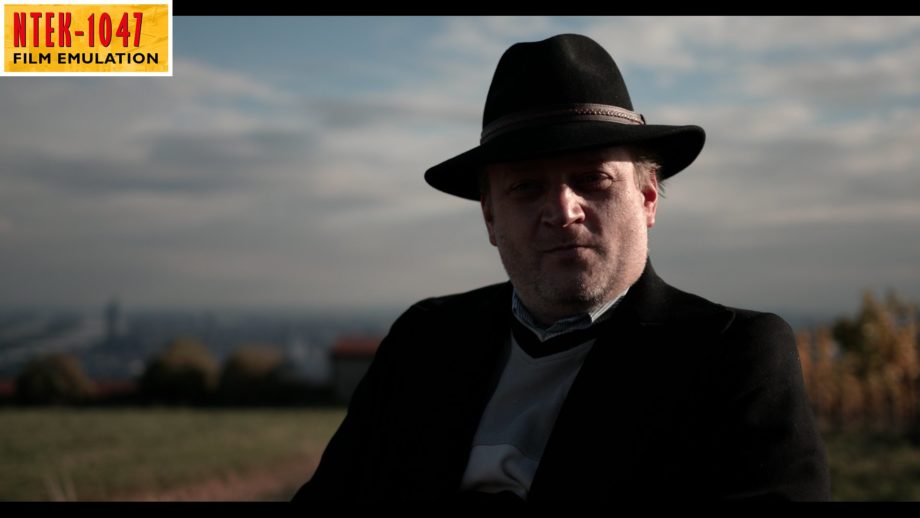
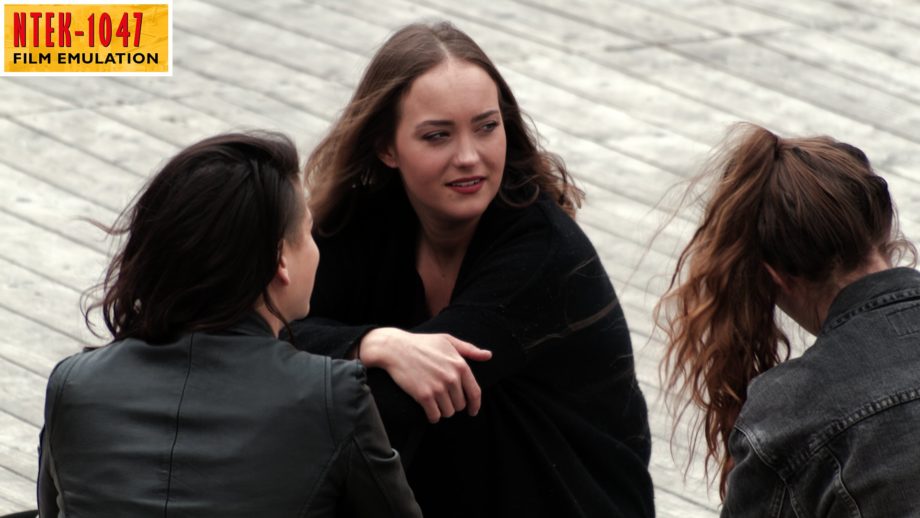
Skin Tones: Deep, reddish tones reminiscent of 1970s film.
Color Matrix: Simulated cross-color bleeding, characteristic of analog film.
Dynamic Range:
Compressed to simulate film — +3 to -6 stops from middle gray.
Gray Point Mapping:
Original C-Log2 middle gray (IRE 60%) is shifted to IRE 40% post LUT to replicate film exposure.
🖼️ Use Cases:
Canon C300 MkII cinematic footage
Log footage from other cameras (with proper conversion)
Even applicable to sRGB photos for a stylized film look







What Is the NTown NTEK-1047 LUT?
The NTEK-1047 LUT is designed to bring the analog look of Kodak 5247 filmstock to your digital footage. While it is optimized for Canon C300 Mark II cameras (with C-log2 Gamma, Cinema Gamut, and Production Camera Color Matrix settings), this LUT isn’t limited to just Canon’s offerings. Thanks to NTown’s Base LUT Collection, this LUT can also be applied to footage shot with many other cameras that use flat log curves, including Sony’s S-Log and Panasonic’s V-Log.
What makes this LUT unique is its ability to mimic the film’s dynamic range, color grading characteristics, and overall organic look that digital footage often struggles to replicate. The NTEK-1047 simulates a traditional film look, offering gradual highlight and shadow rolloff, distinctive skin tones, and a cross-color bleed effect—all hallmarks of the 5247 filmstock.
Key Features of the NTown NTEK-1047 LUT
1. Film Gradation Curve Emulation
The NTEK-1047 LUT captures the essence of analog film’s gradual highlight and shadow rolloff. Unlike digital footage, which can sometimes exhibit harsh transitions in light, the NTEK-1047 ensures a smooth, cinematic progression of light and dark areas, maintaining an organic feel.
2. Signature Skin Tones
One of the most noticeable features of the Kodak 5247 filmstock was its strong, reddish skin tones. The NTEK-1047 LUT closely mirrors this look, giving human faces a warm, rich tone that’s perfect for narrative films, documentaries, and other projects where skin tones are key.
3. Cross-Color Bleeding and Color Matrix
A throwback to traditional film, the LUT also incorporates cross-color bleeding, a characteristic of analog film that can add a unique texture and visual character to your footage. This effect, along with the Color Matrix emulation, gives your footage a genuine “vintage” feel.
4. Dynamic Range Compression
One of the iconic traits of film stock is its ability to handle a wide dynamic range—capturing highlights without clipping and shadows without losing detail. The NTEK-1047 simulates a dynamic range limited to +3 stops and -6 stops from middle gray, emulating the characteristic look of 5247 film. This gives your footage a “compressed” feel, which is a hallmark of older film stocks.
5. Middle Gray Shift
In the digital world, middle gray typically falls around IRE 60% in C-Log2 footage. However, after applying the Base LUT followed by the NTEK-1047, the middle gray shifts to IRE 40%. This shift brings the footage closer to the exposure characteristics of traditional film, giving it that classic “filmic” aesthetic.
How to Use the NTown NTEK-1047 LUT in Your Workflow
Using the NTown NTEK-1047 LUT is simple and straightforward, whether you’re working on a narrative film, documentary, music video, or commercial. Here’s a basic workflow to follow:
Start with the Base LUT
Before applying the NTEK-1047 LUT, you’ll need to apply the Base LUT for Canon C300 MkII C-log2. This LUT brings your footage into a neutral space, preparing it for the stylized grading to come.Apply the NTEK-1047 LUT
Once your footage is normalized with the Base LUT, apply the NTEK-1047 LUT. This step gives your footage the signature Kodak 5247 filmstock look with its rich color grading, soft highlights, and warm skin tones.Additional Fine-Tuning
While the NTEK-1047 LUT is powerful on its own, you may need to make minor adjustments to exposure, contrast, or saturation depending on your specific needs. This is where the beauty of LUTs lies—you can tailor them to fit your creative vision.For Other Cameras
If you’re working with a different camera system, you can still use the NTEK-1047 LUT. Simply use a Base LUT that corresponds to your camera’s log profile (like Sony S-Log, Panasonic V-Log, or others) and then apply the NTEK-1047.
Where Can You Apply the NTEK-1047 LUT?
While the NTEK-1047 LUT is optimized for video footage, it can also be applied to still images (such as sRGB photos). Whether you’re creating a vintage film look for an Instagram post or adding depth to a commercial still, this LUT gives you flexibility beyond just video production.
Final Thoughts
The NTown NTEK-1047 Filmstock 5247 Emulation LUT is an excellent tool for filmmakers and content creators looking to add a touch of vintage cinematic charm to their work. Whether you’re shooting with a Canon C300 MkII or another popular camera, this LUT provides a quick and effective way to simulate the look of classic Kodak 5247 filmstock, known for its warm skin tones, subtle color bleeding, and soft dynamic range.
With its simple yet powerful workflow, the NTEK-1047 LUT offers a quick path to professional, filmic results. So, if you’re looking to give your digital footage a timeless, cinematic quality, this LUT is an essential addition to your post-production toolkit.
Have you used the NTown NTEK-1047 LUT in your projects yet? Share your experiences and creative tips in the comments below!
Visual Aesthetic & Color Science
Capturing the timeless texture of legendary 35mm motion picture stocks, NTEK 1047 Filmstock 5247 Emulation LUT infuses modern digital video with organic analog warmth, authentic halation balance, and rich subtractive color density. Unlike harsh digital grades that push saturation uniformly, this look deepens color density as luminance decreases, resulting in velvety blacks, soft pastel highlights, and radiant, lifelike skin tones reminiscent of classic Kodak Vision3 and 5219 film stocks.
Camera & Profile Compatibility
Camera & Profile Compatibility: Universal compatibility across all major cinema and mirrorless camera systems, including ARRI LogC, Blackmagic Film Gen 5, RED IPP2, Sony S-Log3, Canon C-Log2/C-Log3, Panasonic V-Log, Apple Log, and standard Rec.709 footage.
Step-by-Step Color Grading Workflow & Before/After Technique
Before & After Grading Workflow: Start by balancing your clip’s color temperature and contrast balance. Apply NTEK 1047 Filmstock 5247 Emulation LUT on your creative grading node or layer. If desired, pair with subtle 35mm film grain (around 15-20% opacity) and slight edge halation to complete the vintage cinema aesthetic. The LUT’s internal tone curve handles highlight rolloff automatically.
Supported Editing Software
Delivered in industry-standard 33×33×33 and 65×65×65 .CUBE 3D Look-Up Table formats. Universally compatible with:
- DaVinci Resolve (Studio & Free versions 17, 18, 19+)
- Adobe Premiere Pro & After Effects (Lumetri Color CC 2020 – 2026)
- Final Cut Pro X (via native Custom LUT effect)
- CapCut Desktop & Mobile (direct .CUBE import)
- Adobe Photoshop & Lightroom Classic (Color Lookup & XMP Profiles)
- VN Video Editor, LumaFusion, Filmora, and Sony Vegas Pro
Frequently Asked Questions
Q: Does NTEK 1047 Filmstock 5247 Emulation LUT emulate real motion picture film stocks?
Yes. NTEK 1047 Filmstock 5247 Emulation LUT is modeled after authentic 35mm motion picture print characteristics, replicating the natural contrast curve, warm shadow density, and highlight compression of classic cinema films.
Q: How do I install and apply NTEK 1047 Filmstock 5247 Emulation LUT in my video editing software?
In Adobe Premiere Pro, open Lumetri Color → Creative tab → Look → Browse and select the .cube file. In DaVinci Resolve, place the .cube file into your Project Settings LUT folder and apply it to any node in the Color Page. In Final Cut Pro X, add the Custom LUT effect to your clip.
Q: Does NTEK 1047 Filmstock 5247 Emulation LUT work with both 8-bit and 10-bit color footage?
Yes. While 10-bit footage (from cameras like Sony FX3, DJI Mavic 3, or iPhone 16 Pro) provides maximum grading elasticity, NTEK 1047 Filmstock 5247 Emulation LUT is mathematically tuned with smooth tonal interpolation to prevent color banding even when applied to standard 8-bit video clips.
Q: Can I adjust the intensity of NTEK 1047 Filmstock 5247 Emulation LUT to match my project style?
Yes. Every professional editing application includes an opacity or intensity slider (such as the Look Intensity slider in Premiere Lumetri or Key Output gain in DaVinci Resolve). We recommend starting at 100% and adjusting to between 70% and 90% for the most organic blend.
Related Products & Recommended Pairings
Enhance your filmmaking workflow by pairing this pack with these complementary color grading suites:
- Hollywood Kodak Film Emulation Bundle — Authentic 35mm motion picture Kodak 2383 and 5219 film stock emulation
- Classic Film Emulation LUTs & PowerGrades — Vintage analog color science with controllable halation and density curves
- Super 8 Film Emulation PowerGrades — Retro 1970s home-movie warmth with organic color shift and grain structure
In this case, a revocation can only be made if the buyer has not yet downloaded the files. However, we will consider granting refunds under certain circumstances (e.g. duplicate order, the wrong preset is sent). We will grant refunds at our reasonable price. If the buyer requests a refund and a download has not been performed, we will honor a full refund to the customer.
Please take time to preview the product pictures, descriptions, and videos before you buy to avoid mistakes. We tried our best to gather all the important information for each product so that you preview and be satisfied before making a purchase. Thanks so much for choosing our products. We hope you’ll love them as much as we do!
Our team is incredibly responsive and takes pride in taking care of our customers. Please feel free to get in touch with us via the contact page or email us directly at [email protected] with any questions or concerns and we’ll be happy to help within 24 hours.

Archipelago Quest 01 LUTs
Archipelago Quest 01 LUTs - The first of our Quest signature series features a clean & modern preset with true skin tones that will be sure to delight portrait photographers who want something fresh & refined. With three very distinct variations, offering a range of tones from warm & creamy, to soft & romantic, to punchy & clean.
WORKS ON ALL MAJOR EDITING SOFTWARE


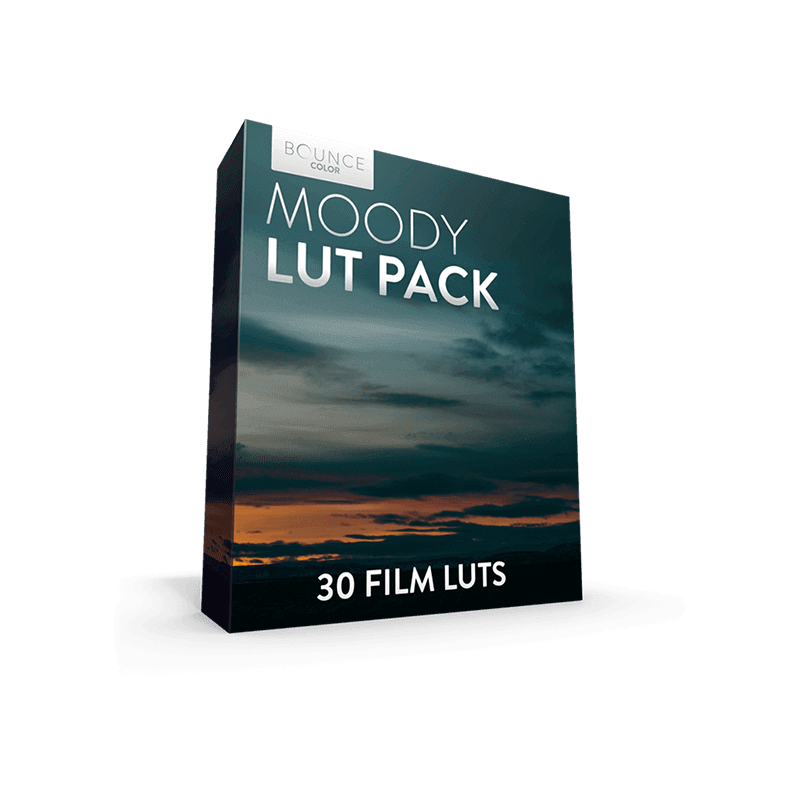
Bounce Moody LUT Pack
Bounce Moody LUT Pack created for all you lovers of epic landscapes and moody locations. This pack features 30 different Film LUTs to choose from with each one being unique. This will save you time and help you professionally grade your film.
Moody LUT Pack - 30 Film Looks
Compatible with all major editing software



Sony Natural LUT Pack
Sony Natural LUT Pack | SLog2 & SLog3 to Enhanced Rec709 LUTs
Convert your high dynamic range Sony S-Log2 & S-Log3 to a naturally enhanced look. Designed to fix Sony's skin-tone issues and highlight roll-off.
The main LUTs work with all Sony cameras using S-Log2 LUTs & S-Log3 LUTs. Monitor LUTs included.
- How to Use LUTs
- Camera Settings for LUTs
- How to use Lens Flares
- What are LUTs?
- 5 Reasons to be using LUTs
- Free Sample LUTs
Scroll down for specifications & more!