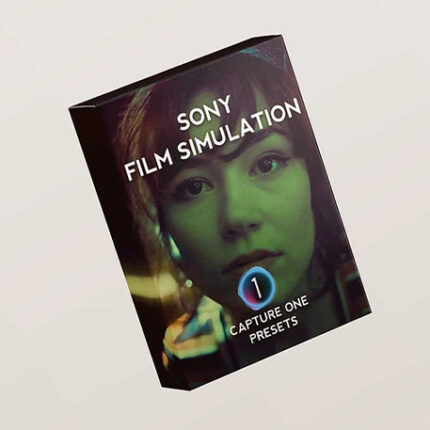


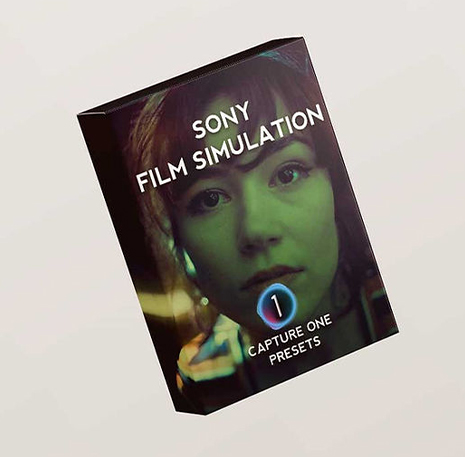

Sony Film Simulation Presets – Capture One Styles
Do you love the look of Sony Film Simulations, but want to edit your photos in RAW format? Keep it raw with these Lightroom Film Presets. All while keeping your editing workflow fast & seamless.
These presets have been created with the Sony a6700. However, as with all presets, using them on a different camera model may result in slight variations due to the unique color science of each camera. This is particularly noticeable when using much older Sony models, as the Sony improved the color science dramatically over the past couple years.
With this preset pack I tried to recreate all Sony film simulation recipes inside Lightroom and Capture One. Of course, this is not fully possible due to the difference in color interpretation in each RAW editor compared to Sony in-camera color processing method.
Nevertheless, these presets will do the heavy lifting and match your raw files up to 90% after which you can adjust to your liking.
Here’s how the Lightroom film presets will help you:
✔️ Make your color matching workflow 10x easier. No more guessing or tweaking. Just select the preset that matches your Sony Film Simulation and boom! You’re done.
✔️ Match the look of your favorite Sony Film Simulations, without giving up RAW power.
✔️ Get as close as possible to the film stock outcome you’re so used to & love.
This pack of film presets for Lightroom includes
- 1 base preset to match your Sony Film Simulation JPEG look. This is a 1:1 replica of the in camera look, meaning you will get a similar look with the straight out of camera JPEG for easier RAW → JPEG matching.
- Second preset will use all the tools available to bring you closer to the authentic film look. Each color film simulation has at least 2 presets. A JPG base and a FILM base.
- Variations of the base look. These film presets for Lightroom come closer to the authentic look of the original Film Stocks. Sony’s picture profile menu doesn’t allow for tweaks in Hue and Saturation. With these variations, I have used all the available color grading tools of the editing software to refine the film look closer to the authentic film roll. These will bring you closer than ever to the real film stock.
- In total you’ll get 130+ film presets, from which 74+ individual film simulation presets that recreate the look of your favorite film stocks, like Kodak Ektar, Portra, Gold, Fuji Velvia, Cinestill, and more.
https://lutsstudio.com/wp-content/uploads/2025/04/Sony-Film-Simulation.mp4
Bring the analog charm to your digital workflow with this pack of +100 Lightroom film presets.
Compatibility & Usage
The latest version was calibrated to the Sony a6700.
Each camera sensor differs in color science. Consequently, when using these presets with different camera models, it might result in differences in colors. This is normal, and you will never be able to create a raw preset that matches all cameras together perfectly. Because each camera has different color mapping, the presets might affect the raw files differently on each camera. The differences will be most noticeable if there is a huge gap between the model the presets have been calibrated on, and the camera you are using (ex. calibrated to a6700, but presets used on a7II). Even tho there are differences, they still help you match your RAW to you in camera JPEG look faster. Newer cameras should not have problems as they are very close in color science to the a6700.
One more important detail to mention is the Effect of the Gamma on RAW files. The in-camera Gamma of choice will alter the contrast of the RAW files when imported into your editing software. So for best accuracy, use the matching preset to the film simulation used in camera.
If you decide to apply other presets, the contrast will differ slightly to how the film simulation would actually look in camera. The difference might, or might not matter to you, but it’s important to mention this before hand.
You might decide to use these presets without applying any in camera film simulations, or maybe you want to use it on different camera brands that you have, like Canon, Nikon, Fujifilm, Panasonic, Olympus, Leica etc. You can do that, but it’s important to know the results will differ from what you would get from a Sony in-camera.
FOCUS KEYWORDS: cinematic luts, # Cinematic Tones LUTs, # Cinematic Video Effects, # Color Correction LUTs, # Color Enhancement LUTs, # Color Grading for Beginners, # color grading presets, # creative luts, davinci resolve luts, # Digital Cinema LUTs, # Documentary LUTs, # drone luts, # Final Cut Pro X LUTs, # DaVinci Resolve luts, # Adobe Premiere Pro LUTs, # photoshop luts, # Dynamic Range LUTs, # Film Emulation LUTs, # Film Noir LUTs, # Film Style LUTs, # Filmmaking LUTs, # final cut pro luts, # Free LUTs, # Fujifilm LUTs, # High Contrast LUTs, # Hollywood Look LUTs, # Indie Film LUTs, # kodak luts, # Luminar LUTs, # LUT Pack Bundles, # LUTs for YouTubers,Cinematic LUTs, # movie luts, # Natural LUTs, # photoshop luts, # Post Production LUTs, # professional color grading, # rec709 luts, # slog3 luts, # Sony LUTs, #Film Emulation LUTs, DaVinci PowerGrades, DaVinci Resolve DCTLs, DaVinci Resolve Fusion, Capture One, Lightroom Presets, Creative Film LUTs, Essential LUTs Pack, Best Film Emulation Pack, LUTs for ARRI, LogC3 LUTs for ACES, ACEScct LUTs for BMD Gen5, LUTs for Sony SLog3, LUTs for Panasonic V-Log, LUTs for Fuji F-Log2, LUTs for Apple Log, Film Grain and Overlays, Film Emulation Photoshop Teal and Orange LUTs, # travel luts, # Urban LUTs, # video editing luts, # Videography LUTs, # Vintage LUTs, # wedding luts.
Visual Aesthetic & Color Science
Tailored to address the unique color matrix of Sony mirrorless sensors, Sony Film Simulation neutralizes the notorious yellow-green color cast in skin tones and restores natural, healthy melanin warmth. The highlight rolloff curve is meticulously calibrated to soften digital clipping on harsh light sources, replicating the gentle shoulder of 35mm motion picture print film. Deep blacks retain rich texture without introducing muddy chroma noise in low-light environments.
Camera & Profile Compatibility
Camera & Sensor Compatibility: Calibrated for Sony S-Log3 / S-Gamut3.Cine on Sony FX3, FX30, FX6, FX9, A7S III, A7 IV, A7R V, and A6700. Fully compatible with both 10-bit 4:2:2 All-Intra and 8-bit XAVC S formats.
Step-by-Step Color Grading Workflow & Before/After Technique
Before & After Grading Workflow: When shooting Sony S-Log3, expose your image at +1.7 to +2.0 stops over base exposure (monitoring with a base 709 LUT or zebras set to 94% on skin highlights). In post-production, place Sony Film Simulation at the end of your color pipeline. Correct overall exposure and tint on a preceding node or layer, then tune the LUT mix to 80–100% intensity for authentic cinematic richness.
Supported Editing Software
Delivered in industry-standard 33×33×33 and 65×65×65 .CUBE 3D Look-Up Table formats. Universally compatible with:
- DaVinci Resolve (Studio & Free versions 17, 18, 19+)
- Adobe Premiere Pro & After Effects (Lumetri Color CC 2020 – 2026)
- Final Cut Pro X (via native Custom LUT effect)
- CapCut Desktop & Mobile (direct .CUBE import)
- Adobe Photoshop & Lightroom Classic (Color Lookup & XMP Profiles)
- VN Video Editor, LumaFusion, Filmora, and Sony Vegas Pro
Frequently Asked Questions
Q: How should I expose Sony S-Log3 footage before applying Sony Film Simulation?
For cleanest results with Sony Film Simulation, expose Sony S-Log3 at +1.7 to +2.0 EV over standard meter reading, using base ISO 800 or 12800 on dual-native ISO cameras like the FX3 and A7S III. This ensures noise-free shadows and smooth highlight rolloff.
Q: How do I install and apply Sony Film Simulation in my video editing software?
In Adobe Premiere Pro, open Lumetri Color → Creative tab → Look → Browse and select the .cube file. In DaVinci Resolve, place the .cube file into your Project Settings LUT folder and apply it to any node in the Color Page. In Final Cut Pro X, add the Custom LUT effect to your clip.
Q: Does Sony Film Simulation work with both 8-bit and 10-bit color footage?
Yes. While 10-bit footage (from cameras like Sony FX3, DJI Mavic 3, or iPhone 16 Pro) provides maximum grading elasticity, Sony Film Simulation is mathematically tuned with smooth tonal interpolation to prevent color banding even when applied to standard 8-bit video clips.
Q: Can I adjust the intensity of Sony Film Simulation to match my project style?
Yes. Every professional editing application includes an opacity or intensity slider (such as the Look Intensity slider in Premiere Lumetri or Key Output gain in DaVinci Resolve). We recommend starting at 100% and adjusting to between 70% and 90% for the most organic blend.
Related Products & Recommended Pairings
Enhance your filmmaking workflow by pairing this pack with these complementary color grading suites:
- LUTs 24 Series for Sony S-Log3 — Flagship Sony mirrorless conversion and stylized cinematic look series
- Sony S-Log3 Pike LUT Pack — Rich commercial grade contrast with true-to-life skin tone fidelity
- Free Starter LUTs Pack — Complimentary 4x .CUBE cinematic presets for testing on your camera timeline
In this case, a revocation can only be made if the buyer has not yet downloaded the files. However, we will consider granting refunds under certain circumstances (e.g. duplicate order, the wrong preset is sent). We will grant refunds at our reasonable price. If the buyer requests a refund and a download has not been performed, we will honor a full refund to the customer.
Please take time to preview the product pictures, descriptions, and videos before you buy to avoid mistakes. We tried our best to gather all the important information for each product so that you preview and be satisfied before making a purchase. Thanks so much for choosing our products. We hope you’ll love them as much as we do!
Our team is incredibly responsive and takes pride in taking care of our customers. Please feel free to get in touch with us via the contact page or email us directly at [email protected] with any questions or concerns and we’ll be happy to help within 24 hours.

Atmospheric Film LUTs
Atmospheric Film LUTs aim is to let you achieve a film look with pretty much any type of scene. Inside are 4 unique LUTs that work on nearly all types of footage. Each of the 4 LUTs gives a different look to each other. We have designed each one to work directly with the most popular types of specific camera LOG profiles. Also, there are rec709 versions that can be used on any camera using standard color (rec709).
Bounce Moody LUT Pack
Bounce Moody LUT Pack created for all you lovers of epic landscapes and moody locations. This pack features 30 different Film LUTs to choose from with each one being unique. This will save you time and help you professionally grade your film.
Moody LUT Pack - 30 Film Looks
Compatible with all major editing software

The Complete Filmmaking Bundle
The Complete Filmmaking Bundle | LUTs & Lens Flares
Take a look at our more up-to-date and better bundles:
The Complete Bundle is a must-have for any filmmaker's editing library. The bundle features a wide range of styles and effects that will allow your edits to reach new heights.
VT Explore LUTs
VT Explore LUTs - These cinematic travel look up tables (LUTs) have been developed and finessed by Bryn North over time as he’s travelled to various parts of the world. Each environments characteristics have mounded the look and feel of this distinguished pack of tones.
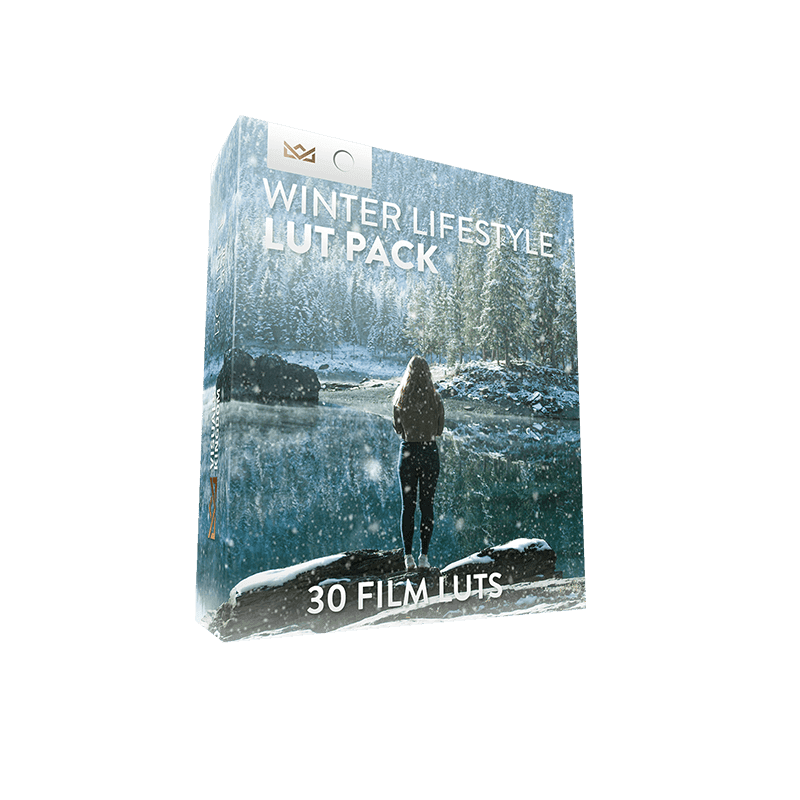
Winter Lifestyle Creative LUT Pack
Winter Lifestyle Creative LUT Pack
- Download instantly after purchase
- Requires No Experience
- Easy to Use
- Programs Supported - Premiere Pro CC, After Effects CC, Final Cut Pro X, Speedgrade, Photoshop, Da Vinci Resolve, AVID, Sony Vegas 13 (Vision Color LUT plugin needed), Filmora and many more.
- The different camera LUTs are only guides to use on specific cameras. You can use any of these LUTs on any camera by adjusting the contrast S-curve settings.
- Package Contents - 30 Winter Film LUTs for 7 camera profiles: rec709, Sony SLOG2/3, Canon, DJI D-Log, GoPro Protune, Nikon, REDCode RAW R3D, Panasonic GH5 V-LOG. 1x PDF instruction on how to install and use the LUTs.